
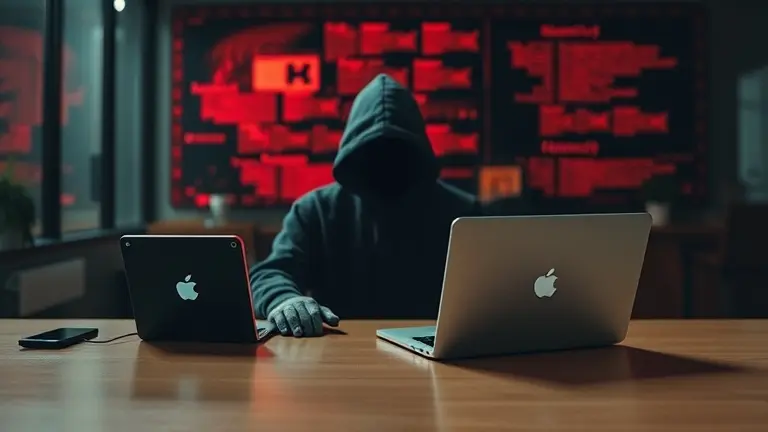
Is your Canvas account down, or are you witnessing a major security breach? For students and faculty across the nation, May 7, 2026, has become a day defined by uncertainty. As reports emerge of a widespread technical incident affecting Instructure’s systems, many are left scrambling to find answers while finals week looms. The frustration is palpable: with course materials locked away, grading systems offline, and official communication sparse, the reliance on social media rumors is creating a perfect storm of academic anxiety.
This article serves as your central hub for clarity. We are tracking the latest developments regarding the Canvas outage, distinguishing verified facts from speculative fear-mongering, and providing you with a step-by-step guide on how to navigate this disruption. Whether you are wondering when your portal will be back up or how to protect your personal data during this potential security incident, we have the information you need to stay in control during this critical time.
Understanding the May 7, 2026, Canvas Security Incident
On May 7, 2026, a significant security incident disrupted the Canvas Learning Management System (LMS), managed by Instructure. The disruption, widely characterized as a canvas hacked event by various reports, resulted in widespread canvas outage issues that left students and faculty unable to access critical course materials. As the incident unfolded, users reported locked accounts, system-wide unavailability, and in some instances, unauthorized messages appearing during the login process. The timing of this disruption proved particularly volatile, as it coincided with the critical lead-up to final exams at numerous academic institutions across the United States.
The Scope and Impact of the Outage
The impact of this canvas security breach is extensive, affecting universities from the Chicago area to other major educational hubs globally. Reports confirmed by outlets such as NBC Chicago and The Rocky Mountain Collegian indicate that the technical failures stem from an infiltration by a malicious group. Because this incident occurred during the most high-stakes period of the academic calendar, the ripple effects include:
- Inaccessible Coursework: Students are currently unable to download study materials or submit final assignments.
- Grading Delays: Faculty members face significant hurdles in accessing grade books and releasing final exam instructions.
- Data Privacy Concerns: Growing anxiety exists regarding the potential exposure of personal identification and academic records.
While Instructure is actively working to restore services, the situation remains fluid. University IT departments are recommending that students stay calm and monitor official communication channels rather than relying on unverified social media discourse. As of now, the canvas status remains under investigation, and authorities are prioritizing the containment of the threat. For those asking when will canvas be back up, administrators advise that system restoration is ongoing; however, institutional policies regarding deadline extensions should be addressed directly with individual professors or department heads while the platform remains unstable.
How to Check Official Canvas Status Updates
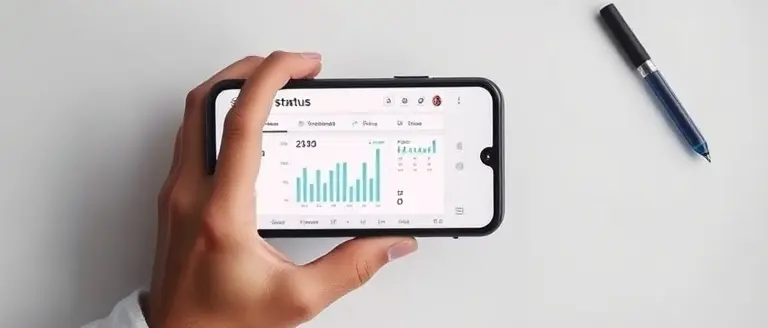
During a widespread Canvas outage like the one triggered by the reported Canvas hacked incident on May 7, 2026, the internet is often flooded with speculative rumors and unverified claims. To navigate this situation effectively, students and faculty must prioritize official communication channels. The primary source for real-time information is the official status page hosted by Instructure at status.instructure.com. This portal provides the most accurate, centralized documentation regarding system functionality, active maintenance, and the scope of the current Canvas security breach.
Verified Sources for Restoration Timelines
When you find yourself asking “when will Canvas be back up,” avoid relying on third-party forums or social media threads that often amplify panic. Instead, adhere to the following verified channels:
- Official Instructure Status Page: Always refresh the status.instructure.com dashboard to view live service performance metrics and incident recovery progress.
- University IT Support Emails: Your campus IT department is the only entity with the authority to grant extensions or provide alternative assessment methods. Monitor your official university email accounts for instructions specific to your institution.
- Institutional Help Desks: If the outage persists, contact your school’s designated support center directly rather than searching for generic troubleshooting tips online, which may not apply to this specific cyberattack scenario.
- Institutional Social Media Accounts: Most universities use their official X (formerly Twitter) or Facebook pages to broadcast immediate updates regarding final exam policy shifts or deadline extensions during an outage.
By focusing on these reliable channels, you protect yourself from misinformation regarding potential data exposure. If you notice unusual activity, such as a canvas hacker message appearing on your login screen, do not attempt to bypass it; instead, take a screenshot for your school’s IT security team and wait for further instructions from your university administration. Staying calm and relying on verified institutional communication is the most effective way to manage the impact of this incident on your academic performance.
Actionable Steps for Students Facing Finals Week Disruptions

The ongoing Canvas outage caused by the recent security incident has created significant pressure, especially with finals week approaching. If you find that your Canvas account is inaccessible, do not panic; prioritize documenting the situation to protect your academic standing. First, take high-quality screenshots of any error pages or messages you receive when attempting to log in. These serve as objective evidence that the system was non-functional at the time of your attempt, which will be crucial if you need to request deadline extensions or exam rescheduling.
Communicating with Faculty and Administration
Once you have documented the Canvas hacked status, reach out to your professors and academic advisors immediately. Use your university-provided email address to ensure your identity is verified. Clearly state that you are unable to access course materials, submit assignments, or view exam schedules due to the widespread Canvas service disruption. Because this is a systemic technical issue rather than an individual mistake, most institutions have emergency protocols in place to accommodate affected students.
Recommended Steps to Protect Your Academic Progress:
- Maintain Records: Keep a chronological log of when you attempted to access Canvas and the specific errors encountered.
- Monitor Official Channels: Regularly check your university’s official IT status page or their social media accounts for updates on when will Canvas be back up.
- Check Alternative Access: Some universities are migrating to temporary portals; consult your department’s website to see if alternative submission methods are available.
- Cybersecurity Caution: If you suspect your credentials were compromised in the Canvas security breach, proactively change your passwords for other accounts that use the same or similar login information, particularly those linked to financial or personal data.
By staying proactive and organized, you can mitigate the impact of this incident on your GPA and ensure you are positioned to complete your requirements as soon as technical stability is restored.
Protecting Your Data During the Canvas Security Breach
In the wake of the reported canvas hacked incident, users should exercise extreme caution regarding personal information security. While Instructure works to resolve the ongoing canvas outage, students and faculty must remain vigilant against opportunistic cybercriminals. If you have been unable to log in, or if you noticed suspicious messages during the initial stages of the canvas security breach, your account credentials may be at risk. Once services are officially restored, prioritize updating your account password using a unique, complex passphrase that is not recycled from other platforms. If your university utilizes a single sign-on (SSO) service, ensure that you also rotate the password for your primary campus email account to prevent lateral unauthorized access.
Identifying Phishing and Protecting Credentials
Be hyper-aware of phishing attempts masquerading as official communications from the Canvas support team or university IT departments. Cybercriminals often exploit a major canvas down event to send fraudulent emails or SMS alerts containing malicious links designed to steal your institutional login credentials.
Follow these critical security measures during the recovery period:
- Verify the Sender: Only trust emails coming from your official university domain (e.g., .edu) or confirmed institutional support channels. Avoid clicking links in any email that demands immediate action or threatens account deletion.
- Enable Multi-Factor Authentication (MFA): If your institution supports it, ensure MFA is active on your student portal, email, and any linked academic software. This adds a vital layer of defense even if your password has been compromised.
- Monitor Personal Accounts: Watch for unusual activity on accounts that use the same email or password associated with your Canvas profile. If you notice unauthorized login attempts elsewhere, update those credentials immediately.
- Ignore Unofficial Recovery Links: Never enter your login details into third-party websites claiming to provide a “workaround” or “status update” for the current canvas hacker activity.
By staying informed through verified university announcements rather than social media rumors, you can better navigate this period of technical instability while safeguarding your academic and personal digital identity.
Stabilize Your Mind Amid the Academic Chaos
As the situation continues to evolve, remember that your primary goal is to maintain composure while you advocate for the academic flexibility you deserve. While the uncertainty surrounding the Canvas outage is significant, panicking will only further impair your ability to study or prepare for alternative assessments. Distinguishing between system-wide outages and potential security breaches is essential, but equally important is protecting your mental bandwidth during these high-stakes days leading into finals.
While you wait for official updates from your university, it is vital to maintain your mental acuity; many students are finding that a brief, science-based cognitive reset helps manage the intense anxiety caused by this uncertainty. The Brain Song is designed as a cognitive stabilization tool, offering a way to cut through the mental fog and stress-induced brain blocks that naturally occur when your academic infrastructure fails.
By dedicating just 12 minutes to this restorative routine, you can regain the clarity needed to track updates, communicate with professors, and stay prepared for any eventuality. This is the moment to prioritize your cognitive resilience so you can emerge from this technical crisis with your focus and academic standing intact.
 Regain your focus during this stressful time; try this 12-minute audio routine to clear the mental fog.Yes, I Want to Restore My Focus Now!