
The dust has finally settled on Apple WWDC 2026, and the industry consensus is clear: this was Apple’s most ambitious AI reset in history. With the unveiling of iOS 27, the tech giant has fundamentally shifted the paradigm of human-computer interaction. Between the hyper-personalized capabilities of the new Siri—featuring groundbreaking ‘conversation memory’—and the visually stunning ‘Liquid Glass’ design language, developers and power users alike are facing a steep, high-stakes learning curve. This is no longer just a routine update; it is an architectural overhaul that demands a completely new approach to how we build and interact with our digital ecosystem.
Yet, amidst the excitement, a daunting reality remains for many in the development community: the sheer cognitive load required to integrate these complex new APIs and intuitive AI frameworks. How do you maintain peak creative output while deciphering the nuanced technical documentation of iOS 27? This guide moves beyond the surface-level hype to provide the tactical utility you need, ensuring you don’t just keep pace with these innovations, but truly master them.
WWDC 2026: Apple’s AI Reset and the Dawn of iOS 27

The June 8, 2026, Apple WWDC event marked a definitive turning point in the company’s trajectory, widely characterized by industry analysts as Apple’s “biggest AI reset yet.” By moving away from incremental updates, Apple signaled a fundamental shift in how hardware and software interact. At the heart of this transformation is iOS 27, an operating system designed from the ground up to prioritize on-device generative intelligence, moving well beyond the reactive features of previous iterations. This strategic pivot aims to harmonize user privacy with the advanced computational demands of modern artificial intelligence, setting a new benchmark for how personal data remains protected while functional efficiency increases.
The Shift to Liquid Glass Design
The most visual component of this paradigm shift is the introduction of the Liquid Glass design language. Departing from the flat, minimalist aesthetics of the past decade, this new interface utilizes fluid gradients, depth-sensing transparency, and responsive lighting that mimics physical materiality. Beyond the visual appeal, this design language is baked into the Apple WWDC 2026 developer APIs, allowing apps to respond dynamically to system-wide AI inferences.
Key pillars of this technological reset include:
- Siri 2.0 Integration: A complete architectural overhaul featuring “conversation memory” and predictive context-awareness, allowing the assistant to understand multi-turn requests across different applications.
- Liquid Glass Aesthetics: A transition toward soft, refractive UI elements that adapt to user behavior and environmental lighting, reducing cognitive load.
- macOS Golden Gate: Deepening the synergy between desktop and mobile environments, ensuring that AI-driven tasks—such as real-time transcription and generative image editing—perform seamlessly across the entire ecosystem.
By integrating these features directly into the silicon, apple wwdc 2026 has established a unified ecosystem that prioritizes proactive assistance. For developers and power users, the move to iOS 27 represents not just a cosmetic refresh, but a foundational change in software interaction where the interface itself becomes an active participant in the user’s workflow.
Getting Started with Siri 2.0: A Step-by-Step Setup Guide
The arrival of iOS 27 marks a significant shift in how users interact with their devices, primarily through the introduction of Siri 2.0. Unlike previous iterations, this version requires an initial calibration phase to fully harness the power of its new “conversation memory” and context-aware processing. Upon updating, navigate to Settings and select the “Siri & Search” menu to initiate the Apple WWDC 2026 AI onboarding sequence. You will be prompted to record a series of phrases that allow the on-device engine to learn your localized nuances and speech patterns, which is essential for the improved accuracy found in this Apple ecosystem update.
Configuring Privacy and Cross-App Intelligence
Privacy remains at the forefront of the Apple WWDC 2026 strategy. During the setup process, you must define the scope of data Siri can access. By toggling the “On-Device Processing” mode, you ensure that your conversational data remains local, bypassing cloud servers for sensitive requests. To maximize the utility of Siri 2.0, follow these configuration steps:
- Grant App Permissions: Navigate to individual application settings to enable “Siri Suggestions & Actions,” allowing the AI to bridge data between apps (e.g., pulling a flight time from your email to set a reminder in Calendar).
- Set Conversation Memory Limits: Customize how long Siri retains context for your queries by choosing between “Session-only,” “24-hour retention,” or “Permanent memory” in the advanced privacy dashboard.
- Calibration for Context: Use the “Smarter Actions” training tool in the Siri menu to demonstrate common multi-step tasks, such as “Draft a summary of my last three emails,” which helps the model learn your specific workflow preferences.
By meticulously completing these setup steps, users can transition seamlessly into the new era of personalized computing, ensuring that the Siri 2.0 engine operates as a secure and highly efficient personal assistant tailored to their unique requirements.
Liquid Glass: A Technical Design Deep Dive for Developers
The introduction of the Liquid Glass design language at Apple WWDC 2026 represents the most significant shift in UI/UX since the move to flat design. For developers working within the iOS 27 ecosystem, this is not merely an aesthetic update; it requires a fundamental re-engineering of how applications handle light, depth, and user input. The core of this design system relies on high-fidelity transparency, advanced depth-blur APIs, and haptic-responsive interface elements that shift in real-time based on system-wide light sources.
Implementing Depth-Blur and Transparency
To align with the new Human Interface Guidelines, developers must transition from static assets to dynamic, real-time rendering components. The Liquid Glass framework leverages updated Metal shaders to create “refractive surfaces” that mimic physical glass. Key technical requirements include:
- Adaptive Blurring: Utilize the new
UIBlurEffect.DynamicAPI, which anchors blur intensity to the Z-axis of your interface elements. - Surface Materials: Integrate
VibrancyEffectto ensure text legibility against complex, shifting backgrounds, a necessity for the new iOS 27 glass-morphist aesthetic. - Haptic-Responsive Feedback: Connect touch events to the
CoreHapticsengine to trigger specific “click-feel” responses when interacting with glass-like buttons, creating a physical sensation of depth.
Hardware Resource Optimization
Achieving this high-fidelity visual experience without sacrificing performance or battery life is the primary challenge for the apple wwdc developer community. Because Liquid Glass requires constant rendering of transparency layers, developers should strictly follow Apple’s recommendation to cache static glass textures.
Evidence suggests that over-leveraging real-time blurring on older hardware may lead to thermal throttling. To mitigate this, prioritize Metal Performance Shaders (MPS) for offloading complex rendering tasks to the GPU. By streamlining your view hierarchy and reducing the number of overlapping transparent nodes, you can maintain a consistent 120Hz frame rate, ensuring that your app remains both performant and visually aligned with the future of the Apple ecosystem.
Performance, Privacy, and Compatibility: The Long-Tail Reality of iOS 27
As Apple WWDC 2026 introduces the most significant architectural shift in a decade, users are rightfully questioning how the intensive demands of Siri 2.0 and the Liquid Glass design language will impact their current hardware. While iOS 27 is optimized for the latest silicon, Apple has maintained a broad support window; however, evidence suggests that the most sophisticated AI features—specifically those requiring real-time “conversation memory”—are restricted to devices equipped with the A19 Pro chip or higher. Older models may experience thermal throttling during heavy generative tasks, as the OS prioritizes keeping the system responsive over sustaining peak AI performance.
Navigating Privacy and On-Device Processing
The centerpiece of the Apple WWDC 2026 privacy narrative is the move toward “Private Compute Cloud.” When users interact with the new Siri, iOS 27 defaults to on-device processing for sensitive data, ensuring that personal context never leaves the hardware. Only when a request exceeds the computational capacity of the local Neural Engine does the system securely offload the task to Apple’s hardened, silicon-backed servers.
- Thermal Management: iOS 27 utilizes a new intelligent background manager that pauses non-essential background refreshes when AI models are active, preventing device overheating.
- Privacy Controls: A dedicated “AI Security Dashboard” allows users to toggle cloud offloading on a per-app basis, providing unprecedented transparency into how their data is handled.
- Compatibility: While basic iOS 27 features run on older hardware, the full Siri 2.0 feature set, including persistent long-term memory, requires at least 8GB of RAM to maintain optimal system stability.
For developers and power users, the technical reality is clear: iOS 27 represents a transition toward a “silicon-first” ecosystem. By isolating AI workloads, Apple aims to minimize the performance tax typically associated with high-end generative models, ensuring that the visual fluidity of Liquid Glass remains the standard interface experience across all supported devices.
Unlock Your Peak Cognitive Potential for the Future of Apple
As we navigate the deep waters of the new Apple WWDC 2026 ecosystem, it is clear that technical knowledge alone won’t suffice. The intricate demands of mastering the ‘Liquid Glass’ design language and the complex logic of Siri 2.0 require more than just code; they require sustained, razor-sharp mental focus. When you are pushing the boundaries of what is possible with Apple’s latest frameworks, mental fatigue and cognitive fog aren’t just obstacles—they are the primary barriers to your success as a top-tier innovator.
This is where your most vital asset—your brain—needs the same level of optimization as your applications. The Brain Song is designed specifically for high-performance tech professionals who need to maintain intense concentration for long-duration coding and architectural planning. By sharpening your mental clarity, you can assimilate these dense, new technical specifications faster, turning potential frustration into a seamless flow of creative productivity.
Don’t let the complexity of the Apple AI revolution slow your progress. Use this opportunity to upgrade your cognitive baseline and stay ahead of the rapid innovation cycle. It is time to treat your mental performance with the same technical rigor you apply to your development projects.
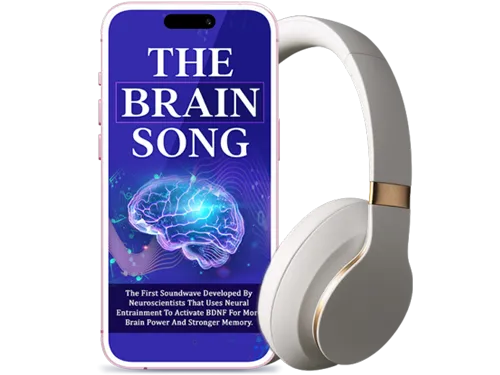 Prepare your mind for the future of development—try the 12-minute audio routine used by high-performance tech experts to master complex systems.Yes, I Want to Master My Focus Today!