

When the screen goes black during a high-stakes FIFA World Cup match, the frustration is immediate—and when 26,000 other Xfinity users are experiencing the exact same blackout, the feeling of helplessness sets in. On June 22, 2026, many customers found themselves staring at spinning buffer icons while the official Comcast status portal crumbled under the weight of massive traffic, leaving no clear answer to the urgent question: is Xfinity down in my area?
Being caught in a regional Xfinity outage is more than just a digital inconvenience; it is a disruption of your leisure and productivity. Whether you are wondering if Comcast is down or frantically searching for a fix, the truth is that ISPs will fail during peak demand. This guide shifts the focus away from waiting on unreliable status pages and moves toward active resilience—helping you manage your connectivity and your downtime with confidence, regardless of network stability.
Understanding the June 22 Xfinity Service Disruption

On June 22, 2026, Comcast Xfinity subscribers across the United States faced a widespread connectivity crisis that left thousands without access to internet or television services. The disruption began at approximately 4:00 PM EST, precisely as demand for high-bandwidth streaming surged. According to data from DownDetector, the outage triggered a massive spike in user reports, exceeding 26,000 within the first hour alone. While the technical root cause remains under investigation, the failure disproportionately affected the East Coast, creating a significant information vacuum for customers struggling to determine if Xfinity is down in my area.
Infrastructure Failure and Fan Frustration
The impact of the Xfinity down event was magnified by its unfortunate timing during the 2026 FIFA World Cup. Because millions of households rely on the provider for live-streamed matches and broadcast access, the inability to verify service status led to widespread confusion and frustration. The situation was compounded by the fact that the official Xfinity status portal proved incapable of handling the surge in traffic, leaving users unable to check if Comcast is down in my area through official channels.
Key factors that defined the scope of the disruption included:
- High-Volume Traffic: The overwhelming number of users attempting to check their service status simultaneously crashed the company’s dedicated portal, rendering it inaccessible during the peak of the event.
- Geographic Density: Reports indicated high concentrations of service loss along the East Coast, disrupting both home internet and traditional cable feeds.
- Information Gap: Without a functioning status page, many subscribers turned to independent third-party monitoring sites, highlighting the necessity for better redundancy in network status communication during major live events.
This outage serves as a stark reminder of the fragility of ISP-dependent streaming infrastructure during high-stakes global broadcasts. When is Comcast down, and the official map fails, the lack of reliable communication channels creates significant anxiety for sports fans and remote workers alike.
Building Your Connectivity ‘Plan B’: Mobile Hotspots
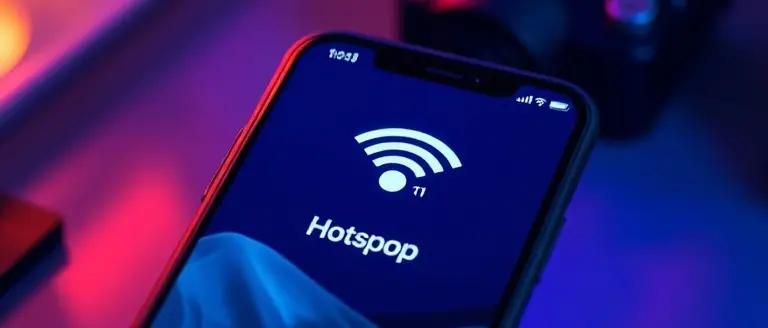
When Xfinity outages strike, particularly during high-stakes moments like the 2026 FIFA World Cup, relying solely on a fixed-line connection can leave you stranded. To maintain connectivity when Comcast Xfinity services fail, your smartphone serves as the most immediate “Plan B.” Activating a mobile hotspot allows you to bypass local infrastructure issues by leveraging cellular networks. To enable this on an iPhone, navigate to Settings > Personal Hotspot and toggle “Allow Others to Join.” On Android devices, access Settings > Network & Internet > Hotspot & tethering to configure your portable access point.
Optimizing Data for Live Sports
Streaming high-definition sports events consumes significant bandwidth, which can quickly exhaust your cellular data plan or trigger throttling. To manage this during an xfinity down event:
- Lower Resolution: Manually set your streaming app (such as Peacock, Fox Sports, or FIFA+ apps) to 720p or 480p to reduce data consumption.
- Monitor Usage: Use built-in mobile data trackers on iOS or Android to monitor exactly how much data your device consumes per match.
- Disable Background Sync: Turn off automatic cloud backups and high-bandwidth app updates on all connected devices to ensure your available throughput is prioritized for the game.
Long-Term Resilience
If you frequently work from home or are a sports enthusiast who cannot afford downtime, consider investing in a dedicated mobile hotspot device or a high-capacity prepaid cellular data SIM. Unlike relying on your phone’s battery, dedicated hardware—often available through major carriers—provides a more stable signal and better thermal management for extended use. Keeping a dedicated backup device ensures that even if is comcast down in your area persists, you retain a reliable, independent link to the internet. This proactive approach mitigates the anxiety of sudden service interruptions and ensures you remain online during critical broadcasts, even when the primary ISP status portal remains unresponsive.
How to Stream Live Sports Without Your Home ISP
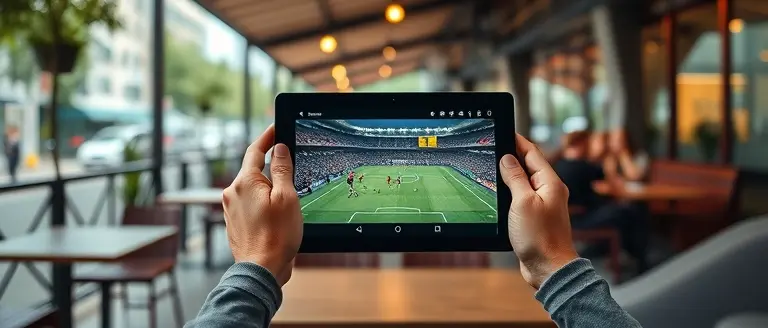
When you realize Xfinity is down during a high-stakes match like those in the 2026 FIFA World Cup, the primary goal is to shift your traffic away from the compromised Comcast Xfinity infrastructure immediately. Relying on an ISP-dependent streaming app is futile when the local node is experiencing a service disruption. Instead, prioritize a cellular data connection. Most smartphones today can act as a high-speed mobile hotspot, effectively bypassing local broadband outages. By tethering your smart TV or tablet to your cellular provider’s 5G network, you maintain access to live broadcasts even when is comcast down reports confirm a wide-scale regional failure.
Alternative Streaming Strategies
To ensure you don’t miss a moment of the action, keep these tactical alternatives ready:
- Official Tournament Apps: Use the dedicated FIFA or tournament-specific mobile apps. These platforms are often hosted on global Content Delivery Networks (CDNs) that are entirely independent of your residential Xfinity outage.
- Cellular-Only Streaming: Set your preferred streaming service to “Data Saver” or “Cellular Only” mode. This prevents the app from attempting to ping the unresponsive home Wi-Fi and forces the stream through your carrier’s tower.
- VPN Utilization on Public Wi-Fi: If you must leave your home to find a connection, be cautious. If you connect to public Wi-Fi at a local cafe or library, always employ a reliable VPN. This protects your data while ensuring that your stream isn’t throttled by network-level traffic management often found on public routers.
- Secondary Broadcast Partners: Often, multiple networks hold broadcast rights. If your primary source is offline, check over-the-air (OTA) antennas as a backup, or use a sports aggregation app that provides live updates, allowing you to follow the match via play-by-play data until your internet service is restored.
By decoupling your entertainment from a single provider, you transform a frustrating Xfinity down event into a manageable situation. Preparing these “Plan B” access points ensures that when is xfinity down in my area becomes your top concern, you already have the tools required to keep the game on screen.
Staying Informed: Third-Party Monitoring Tools

When xfinity outages strike during high-stakes moments like the 2026 FIFA World Cup, the official Comcast Xfinity status portal often becomes unresponsive due to the surge in traffic from thousands of frustrated customers. Relying exclusively on an ISP-owned status map can leave you in the dark exactly when you need information most. Instead, smart users should leverage independent, third-party monitoring services that aggregate data from multiple users across the country. Platforms like DownDetector provide a crowd-sourced view of service stability, often proving far more accurate and resilient than official channels when xfinity is down.
Leveraging Real-Time Intelligence
To minimize downtime anxiety, incorporate these strategies into your connectivity “Plan B”:
- Third-Party Trackers: Bookmark sites like DownDetector to gauge whether a disruption is isolated to your local node or if is comcast down on a broader regional or national scale.
- Social Media Monitoring: Use X (formerly Twitter) to search for real-time keywords such as “#XfinityDown” or “is my internet down.” Because these platforms handle high volumes of concurrent traffic, you will often find updates from other users in your immediate area before any official statement is released.
- Automated Alerts: Many independent monitoring services allow you to sign up for push notifications or email alerts. By setting these up in advance, you receive immediate warnings about spikes in reports without having to manually refresh failing ISP portals.
By shifting your reliance from the company’s internal tools to distributed, crowd-sourced monitoring, you gain a clearer picture of when service will be restored. When you identify that xfinity is down in my area through these independent sources, you can immediately pivot to backup solutions—such as mobile hotspots or secondary cellular data—rather than wasting time waiting for a potentially non-functional official status map to load.
Reclaim Your Time When the Internet Fails
Connectivity issues are an unavoidable reality of our digital age, but they don’t have to define your day. By preparing a secondary mobile hotspot, bookmarking independent third-party network status sites, and having a reliable plan for live sports alternatives, you can mitigate the anxiety caused by sudden service drops. You no longer have to be at the mercy of a failing ISP status map just to find out why your stream has stalled.
While you wait for your ISP to restore your connection, why waste another hour staring at a blank screen or a spinning buffer icon when you could be finishing that home project you’ve been putting off? This is where true productivity begins. Instead of waiting for a technician to flip a switch, you can pivot to a hands-on building project that turns wasted, internet-dependent time into a rewarding, physical craft.
We recommend Ted’s Woodworking as the ultimate offline survival kit. It provides total technical certainty in your DIY projects, eliminating the trial-and-error frustration often found in amateur blueprints. By investing in these master-level plans, you gain the ability to build a high-quality, non-digital workshop experience that remains completely unaffected by network congestion or service disruptions. Don’t let an outage kill your productivity; turn this downtime into your next finished masterpiece.
 Don’t let an outage kill your productivity; grab your workshop plans here and turn this downtime into your next finished masterpiece.Yes, I Want to Build Something Great!