
The long-awaited Steam Machine has officially arrived, sparking a massive debate across the gaming community regarding its $1,049 starting price and premium AMD-powered architecture. With a 6-core/12-thread Zen 4 CPU and advanced FSR 4 upscaling, Valve is clearly aiming to redefine the living-room PC landscape. However, as early adopters begin to unbox their units and tinker with settings—often confusing the system’s frame-rate management with the elusive ‘Steam Frame’—the conversation has shifted toward true value engineering. Is this hardware worth the premium, or is it a luxury for those who prefer convenience over the custom DIY route?
While mainstream reviews focus on the box-standard experience, the real excitement lies in the Steam Machine specs and the potential for deep-level customization. From modular aesthetic mods like the Dbrand ‘Companion Cube’ case to fine-tuning the system for day-one performance, this device is a playground for hardware enthusiasts. In this guide, we break down exactly what you need to know to justify your investment and optimize your setup for the ultimate living-room gaming experience.
,slug:
The Return of the Steam Machine: Valve’s New Living-Room Revolution
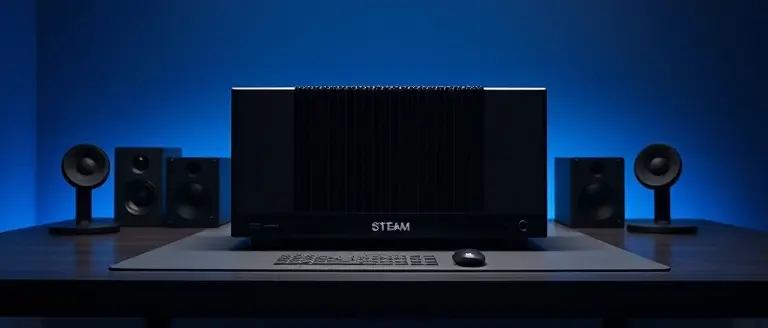
After years of speculation and the relative quiet following Valve’s initial foray into living-room hardware, the Steam Machine has officially returned to the market as of late June 2026. This isn’t merely a rehash of previous failed experiments; it is a meticulously engineered, premium living-room PC designed to bridge the gap between console convenience and desktop performance. Built upon a robust, semi-custom AMD platform, the device features a 6-core/12-thread Zen 4 CPU capable of clock speeds up to 4.86GHz, ensuring that modern titles run with significant overhead. A cornerstone of its graphical fidelity is the integration of AMD’s FSR 4, which provides sophisticated AI-driven upscaling to maintain high performance without sacrificing visual clarity, even at higher resolutions.
The steam machine specs highlight a strategic focus on high-fidelity gaming in a compact form factor, though this power comes at a premium price point. Valve has introduced two distinct tiers to accommodate different storage needs:
- Entry Model: Priced at an official steam machine price of $1,049, featuring a 512GB NVMe SSD.
- Premium Model: Priced at $1,349, offering a spacious 2TB NVMe SSD for large game libraries.
While early reviews from outlets like PCWorld and TechSpot acknowledge the device’s technical prowess, they also raise valid questions regarding the value proposition when compared to traditional DIY PC builds. The device targets enthusiasts who prioritize a seamless “out-of-the-box” experience over the lower cost of a custom build. Furthermore, the inclusion of an optimized steam frame management system indicates that Valve is prioritizing consistent, stutter-free performance to ensure that the living-room experience feels distinct from a standard desktop environment. As the community continues to analyze the steam machine release date impact, the hardware has already spurred significant collector interest, particularly with customizable aesthetic options like the Dbrand “Companion Cube” case, suggesting that Valve is aiming for both functional performance and iconic living-room status.
Is the $1,049 Price Point Justified? A Value Analysis vs. DIY Builds
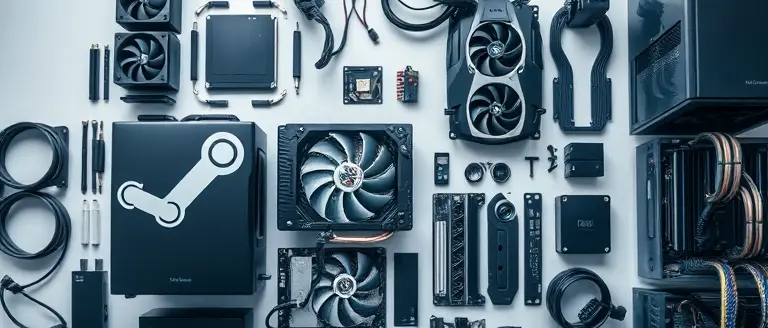
The official steam machine release date has finally arrived, bringing with it a polarizing steam machine price structure. At $1,049 for the base model, consumers are questioning whether this living-room console justifies its cost compared to a custom-built desktop PC. From a pure hardware perspective, the device features a semi-custom AMD platform centered around a 6-core/12-thread Zen 4 CPU capable of hitting 4.86GHz. While you could technically build a PC with similar raw processing power for roughly $750–$850, that estimate often ignores the “hidden costs” of miniaturization and software integration that define the Steam Machine experience.
The Value Proposition of Proprietary Engineering
The premium price tag is largely attributed to the compact, highly optimized thermal design and the seamless integration of AMD’s FSR 4 upscaling technology. Unlike a standard DIY build, which often suffers from bulky cases and potential driver friction, this platform offers a “console-like” experience optimized specifically for Valve’s ecosystem.
Key factors to consider when comparing the value:
- Form Factor Efficiency: The specialized cooling solution is designed for silent operation in a living room, a feat difficult to replicate in a budget Mini-ITX build.
- FSR 4 Integration: The proprietary firmware ensures that the upscaling pipeline is optimized at the system level, providing a smoother frame delivery than standard desktop implementations.
- Ready-to-Play Convenience: You are paying for the engineering hours required to calibrate the power delivery and thermal throttling, which ensures longevity in a small chassis.
Ultimately, if you prioritize a plug-and-play aesthetic—especially with customization options like the Dbrand Companion Cube—the $1,049 steam machine specs represent a premium for convenience. However, if your primary goal is maximizing frame-per-dollar ratio, a DIY build remains the more cost-effective path. The Steam Machine is designed for the user who views hardware as a lifestyle product rather than just a utility.
Decoding ‘Steam Frame’: Understanding Valve’s New Upscaling Management

Since the June 2026 launch, the term “Steam Frame” has frequently appeared in community forums, causing widespread confusion among early adopters. To clarify, “Steam Frame” is not a proprietary hardware component, but rather a specialized software-level frame-pacing and upscaling management interface integrated into the SteamOS environment. It serves as the primary dashboard for controlling how the Steam Machine interacts with its semi-custom AMD Zen 4 CPU and the advanced FSR 4 (FidelityFX Super Resolution) pipeline. By consolidating these settings into a single, accessible UI, Valve aims to simplify the often complex world of living-room PC optimization.
Optimizing Performance with FSR 4
The core utility of the Steam Frame interface lies in its direct control over FSR 4 image reconstruction and latency reduction techniques. Unlike a traditional DIY PC build where settings are buried deep within individual game menus or GPU driver panels, this feature allows users to apply global upscaling profiles optimized for living-room displays. Users can toggle between balanced, performance, and ultra-quality presets to ensure that the Steam Machine specs—particularly the 6-core/12-thread architecture—are utilized efficiently without overheating during long sessions.
Key benefits of utilizing the Steam Frame management tool include:
- Synchronized Frame Pacing: Reduces micro-stuttering on high-refresh-rate 4K televisions.
- Latency Reduction: Dynamically adjusts the render queue to keep input lag at a minimum during intense gaming moments.
- Unified UI: Provides a “Day One” utility, allowing users to apply upscaling settings across their entire library without per-game configuration.
While some users initially speculated that Steam Frame might refer to a hardware-based frame generator, evidence confirms it is a highly intelligent software layer. As Valve continues to iterate on the Steam Machine price value proposition, refining this interface is crucial for users comparing the platform to a high-end Steam Deck OLED dock or a custom-built rig. Understanding this feature is essential for extracting maximum visual fidelity and performance from your device.
Modular Aesthetics: Customizing Your Setup with the Dbrand Companion Cube
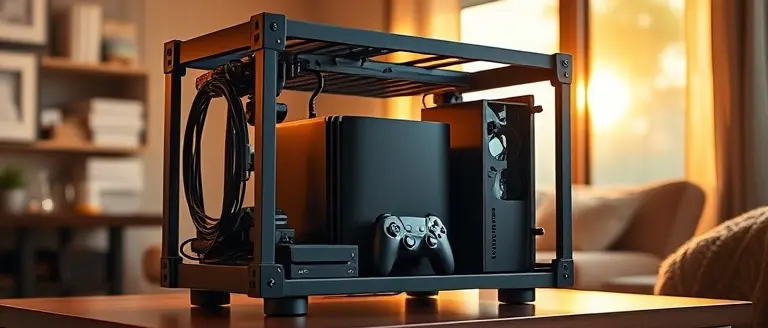
The official launch of the Steam Machine has sparked more than just discussions regarding steam machine specs and the $1,049 steam machine price; it has ignited a fervor for aesthetic personalization. As Valve positions this device as a premium centerpiece for the modern living room, third-party manufacturers are stepping in to help users bridge the gap between industrial computing hardware and home decor. The most prominent example is the Dbrand “Companion Cube” case, which has quickly become the gold standard for early adopters looking to distinguish their high-end hardware. By transforming the sleek, minimalist chassis of the base model into an iconic cultural reference, Dbrand highlights the growing demand for modularity in pre-built PC ecosystems.
Beyond the immediate appeal of specialized skins and shells, this trend underscores a broader shift in how enthusiasts view their gaming hardware. While the internal architecture features a powerful 6-core/12-thread Zen 4 CPU, the physical “look and feel” remains a critical factor for users debating the device’s value proposition against custom builds. Modular customization allows owners to:
- Elevate Interior Integration: Match the device’s physical profile to existing entertainment center aesthetics, moving away from the typical “black box” PC design.
- Improve Thermal Management: Certain modular enclosures are engineered to improve airflow compared to the stock configuration, potentially aiding in sustained steam frame stability during high-intensity gaming sessions.
- Enhance Resale and Collector Value: Limited-run aesthetic kits often retain value, making them a strategic investment for those who view their technology as part of a curated collection.
Evidence suggests that the interplay between premium hardware and external customization is a vital component of the platform’s long-term success. While some critics remain skeptical of the initial investment, the ability to personalize the steam machine provides a tangible sense of ownership that standard consoles often lack. As the ecosystem matures, expect to see an influx of third-party modular components designed to optimize both the physical footprint and the thermal efficiency of this new living-room titan.
First Steps: Essential Setup Tips for Your New Steam Machine

Upon unboxing your new Steam Machine, the initial setup process is critical to ensuring you achieve the best performance from your hardware investment. Before diving into your library, navigate to the settings menu to check for mandatory firmware and BIOS updates. Valve’s recent steam machine release date launch includes several day-one patches designed to optimize power delivery to the 6-core/12-thread Zen 4 CPU, ensuring your system operates within the intended thermal envelope. Failing to update these core components can lead to unstable frame rates and potential bottlenecking during resource-heavy sequences.
Once your system software is current, focus on optimizing your visual output using the integrated AMD FSR 4 settings. Because this device is built on a semi-custom AMD architecture, FSR 4 provides significant performance gains at 4K resolutions. To maximize your experience:
- Configure Display Scaling: Navigate to the display settings and ensure your native resolution matches your monitor or TV. Enable FSR 4 globally to balance image quality with high frame rate throughput.
- Library Syncing: If you have an extensive backlog, avoid mass-downloading your entire library at once. Use the “Remote Play” or “Local Network Transfer” features to pull data from an existing PC to reduce strain on your network and initial setup time.
- Hardware Acceleration: Ensure “Hardware-Accelerated GPU Scheduling” is toggled on within the advanced settings to reduce latency and improve input responsiveness.
- Understanding the “Steam Frame”: Users often confuse system UI overlays with the frame-rate limiter; ensure you are utilizing the integrated frame-rate limiter in the Quick Access Menu (QAM) to keep your steam frame pacing consistent without causing screen tearing.
Finally, while the steam machine price of $1,049 is premium, the out-of-the-box experience is designed for simplicity. Take a moment to calibrate your controller inputs and audio output settings, as the system defaults are often set to “Auto,” which may not always detect your specific soundbar or surround-sound configuration correctly. By performing these optimizations, you ensure your device is running at its peak potential from the very first session.
Craft Your Ultimate Gaming Sanctuary
After dissecting the high-end internals and the debate surrounding the Steam Machine’s launch price, it is clear that this hardware represents a significant leap for the living room. Whether you are optimizing your frame-rate limits or tweaking the system for peak performance, you are already demonstrating the mindset of a dedicated enthusiast. But why stop at software and hardware adjustments? When you invest in a premium console, the environment you place it in defines the entire experience.
If you are taking the time to optimize your Steam Machine’s internal performance, why stop at the software? Just as you’re looking to customize your setup, many enthusiasts are taking full control of their environment by crafting custom, precision-fit display units that turn a simple console into a centerpiece. This is where your maker spirit truly shines, transforming your gaming area from a standard living room into a professional-grade, custom-built installation that perfectly accommodates the new hardware’s footprint.
The secret to a world-class setup lies in the craftsmanship of your home environment. By utilizing professional-grade woodworking plans, you can build bespoke desk setups or aesthetic acoustic stands that reflect the premium nature of your new machine. Don’t let your high-performance hardware sit on a generic shelf; give it the home it deserves. Join thousands of makers who have taken the DIY route to elevate their tech ecosystems.
 Ready to build a desk or display that matches your hardware’s performance? Access 16,000+ professional plans to construct the perfect home for your new Steam Machine.Build My Custom Setup Today!