

When you click ‘play’ on your favorite show only to be met with a buffering wheel or a cryptic error code, your first instinct is often to check if Disney Plus is down. In the digital age, the fear of a service-wide Disney+ outage has become a common experience, fueled by viral social media posts and sporadic reports from platforms like disneyplus. However, as of June 2026, many of these ‘outage’ spikes are not caused by massive infrastructure failures, but rather by isolated login glitches or noise surrounding legal developments, such as the ongoing patent litigation involving HEVC video encoding.
Understanding the difference between a real service failure and a local connectivity issue is essential to saving your time and sanity. While the legal and technical landscape of streaming is evolving, most playback disruptions are actually solvable at home. This guide will help you look past the headlines to identify whether you are facing a widespread system collapse or a simple technical hurdle that you can resolve in minutes, ensuring your streaming experience remains uninterrupted.
Why You Keep Seeing Disney+ Outage Reports (And When to Worry)
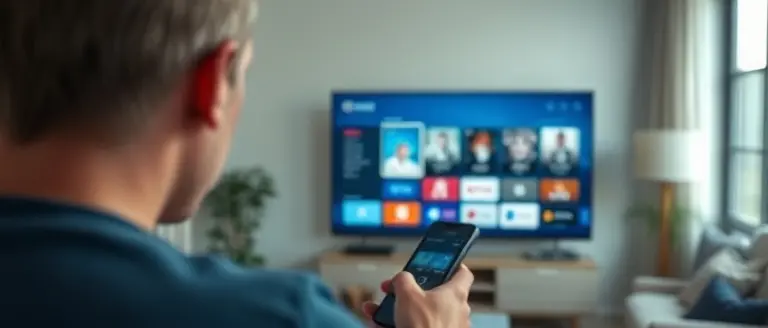
If you have recently searched to see if Disney Plus is down, you are likely part of a recurring trend where localized technical glitches are amplified by social media panic. As of June 2026, major tracking services like IsDown.app confirm that Disney+ servers are operating normally, indicating that most reported issues are not a global Disney plus outage. Instead, these reports often stem from isolated network instability, outdated app versions, or local ISP congestion. When users experience a sudden playback error, the immediate reaction is to head to social platforms to ask if Disneyplus is experiencing failures; however, these crowdsourced reports rarely reflect the actual infrastructure health of the streaming service.
Understanding the Legal Noise vs. Real Disruptions
Confusion regarding the service’s status is currently being exacerbated by recent legal developments, specifically the Unified Patent Court (UPC) ruling concerning InterDigital’s HEVC video encoding patents. While tech-focused commentary has highlighted this legal battle as a significant point of tension for the platform, it is crucial to distinguish legal headlines from operational reality. This patent ruling does not trigger an immediate service shutdown or a technical Disney plus not working scenario for the end-user.
To help you distinguish between genuine service-wide failures and temporary, solvable issues, consider these indicators:
- Service-Wide Outages: These are typically corroborated by third-party status monitors and accompanied by a spike in reports from multiple regions simultaneously.
- Local Device Issues: If you encounter a login loop or buffering, the problem is likely isolated to your specific connection, cache, or device firmware.
- Misinterpreted News: Distinguish between a platform being “down” and ongoing corporate litigation, as the latter rarely impacts your immediate ability to stream content.
By focusing on these differentiators, you can better navigate the landscape of Disney plus reporting, avoiding the trap of believing every viral post that claims a total service blackout. Always check official status dashboards before assuming a permanent or widespread failure.
How to Tell if Disney+ Is Actually Down
When you encounter an error screen while trying to stream your favorite show, it is easy to assume that Disney Plus is down for everyone. However, mass social media panic—often fueled by individual connectivity quirks—does not always reflect a global service failure. To determine if you are facing a widespread Disney Plus outage or a localized technical hurdle, you should rely on verified, real-time data sources rather than anecdotal reports on platforms like X or Reddit. Tools such as IsDown.app provide reliable, aggregate monitoring that indicates whether the official servers are responding correctly. If these tools report that the service is operational, the problem likely lies within your home network or device configuration.
Distinguishing Service Outages from Local Errors
Understanding the distinction between a server-side failure and a client-side error is essential for quick troubleshooting. If the service is running, your issue might be a Disney Plus not working scenario caused by specific hardware or regional ISP interference. Consider these factors before assuming a platform-wide blackout:
- Network Stability: ISP throttling or DNS misconfigurations can often mimic a service outage. Try toggling your Wi-Fi or switching to a mobile hotspot to see if the stream loads.
- Device-Specific Caching: Corrupted app cache or outdated firmware can prevent the disneyplus app from authenticating your session. Clearing the cache or performing a hard reset on your streaming device frequently resolves playback errors.
- Regional Hiccups: Occasionally, Content Delivery Networks (CDNs) experience localized latency that affects specific geographic areas without impacting the primary infrastructure.
- Legal or Licensing Factors: While rare, ongoing legal developments—such as recent UPC patent rulings involving HEVC video encoding—might influence how the platform negotiates technical updates. While these rarely cause immediate “outages,” they can sometimes trigger temporary bugs in specific video player versions as services push background patches.
By consulting official channels and validating your own connection first, you avoid unnecessary frustration and can resolve your playback issues significantly faster than waiting for a broader service report.
Step-by-Step Troubleshooting for Common Playback Errors

If you are experiencing a Disney Plus disruption, it is important to distinguish between a widespread Disney Plus outage and localized technical glitches. Before assuming the platform is down, follow these systematic steps to isolate the root cause of your playback errors. Most issues stem from outdated app versions, corrupted cache files, or network latency rather than a server-side failure.
Essential Quick-Fix Solutions
- Clear App Cache: On Android TV, Fire Stick, or mobile devices, navigate to your settings menu and select “Clear Cache” for the Disneyplus app. This removes temporary data fragments that often trigger “Disney Plus not working” error codes like Error 39 or 83.
- Update Firmware and Apps: Ensure both your streaming device and the Disney+ application are running the latest versions. App developers frequently release patches that resolve compatibility issues with regional networks.
- Power Cycle Networking Hardware: If you suspect your connection is unstable, unplug your modem and router for at least 60 seconds. This forces a fresh handshake with your ISP and clears DNS bottlenecks that might mimic a Disney Plus down scenario.
Optimizing Your Connection for High-Quality Streaming
For seamless 4K UHD playback, Disney+ requires a stable, high-speed internet connection of at least 25 Mbps. If your streaming quality is dropping or playback is buffering, test your connection speed via a browser-based tool to ensure you aren’t experiencing packet loss. If you continue to see reports suggesting Disney Plus is down on social media but your connection is robust, consider toggling your DNS settings to a public provider like Google DNS (8.8.8.8) to bypass potential ISP routing issues. By systematically ruling out these device-level factors, you can effectively navigate temporary service disruptions without waiting for official status updates.
The Impact of Legal Developments on Streaming Services
In today’s digital age, headlines regarding high-level patent disputes can often spark unnecessary panic among consumers. Recent reports surrounding the Unified Patent Court (UPC) ruling against Disney regarding InterDigital’s HEVC video encoding patent are a prime example. While tech enthusiasts and industry analysts monitor these legal developments closely, the public often misinterprets these filings as an immediate sign that Disney Plus is facing a service-wide shutdown. It is critical for users to understand that these legal battles are primarily financial and licensing negotiations occurring in the background, rather than technical failures that impact the day-to-day accessibility of the platform.
Understanding Patent Rulings vs. Service Outages
When you see news claiming a Disney plus outage tied to a legal verdict, it is almost never indicative of a service-wide crash. In the case of HEVC patent infringement, the conflict centers on how data is compressed and delivered to your devices. These legal maneuvers rarely result in an instantaneous “kill switch” for the app. Instead, they typically lead to:
- Long-term licensing adjustments: Companies often reach settlements long before any court-ordered injunction could force a blackout.
- Backend optimization: If a specific codec is deemed infringing, streaming services often transition to alternative encoding methods behind the scenes, ensuring the user experience remains seamless.
- Regulatory delays: Even if a court issues a ruling, there are lengthy appeals processes that prevent immediate service disruption.
If you are experiencing issues like Disney plus not working, it is far more likely to be a result of local connectivity problems, corrupted cache files, or an outdated app version rather than a global Disneyplus legal crisis. When consumers confuse high-level legal news with real-time technical failure, it fuels the viral cycle of misinformation on social media, making it harder to troubleshoot genuine service interruptions. Always verify your status via reputable trackers before assuming that legal headlines represent a service failure.
Stay Sharp, Focused, and Streaming Without Delay
Distinguishing between actual service failures and temporary device errors is the key to maintaining your digital peace of mind. By following a methodical approach to troubleshooting—clearing caches, verifying your network, and checking device updates—you can bypass the frustration that typically follows generic ‘is it down’ reports. However, we know that troubleshooting technical issues like stream errors can often feel like a draining task, especially when you are already dealing with digital frustration and the inevitable ‘brain fog’ that accompanies tech support.
This is where The Brain Song becomes your essential companion. More than just an auditory tool, it acts as a cognitive performance accelerator, specifically designed to clear mental clutter and restore your focus. By integrating this 12-minute routine into your troubleshooting workflow, you maintain the patience and analytical clarity needed to follow complex technical instructions, ensuring that you resolve your connection issues without becoming overwhelmed by the process.
Regain your mental clarity and keep your digital ecosystem running smoothly by utilizing the cognitive support you deserve. When you feel the tension of technical errors creeping in, don’t let the stress take control. Use this performance tool to stay sharp, calm, and ready to enjoy your entertainment the moment your stream is back up.
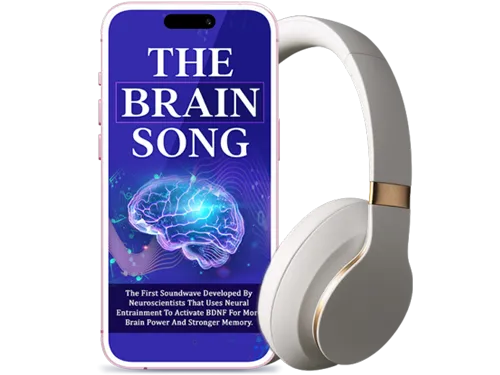 Regain your mental clarity and focus while you fix your connection—try The Brain Song’s 12-minute auditory routine today.Yes, I Want To Restore My Focus Now!