
Are you currently staring at your phone in disbelief, seeing nothing but the dreaded ‘SOS’ icon where your signal strength should be? You aren’t alone. On June 9, 2026, thousands of Verizon users across the nation found themselves abruptly disconnected, triggering a wave of confusion as mobile devices across the country failed to connect to the network. While initial reports from sites like Downdetector hinted at a massive system failure, the root cause—a critical fiber optic cable cut—serves as a stark reminder of the fragile infrastructure that underpins our hyper-connected lives.
When the digital rug is pulled out from under you, it is natural to feel a spike in anxiety. Whether you are scrambling to contact family or struggling to keep up with time-sensitive work, the sudden silence of your device can trigger significant cognitive fog. In this guide, we aren’t just looking at the ‘why’ behind the Verizon outage; we are providing you with a step-by-step framework to handle your device’s SOS mode, maximize your limited connectivity through Wi-Fi calling, and protect your mental clarity until the network is fully restored.
Current Status: Verizon Network Outage Update (June 9, 2026)
On June 9, 2026, Verizon subscribers across the United States experienced a significant service disruption that prompted a massive surge in users checking sites like Downdetector to determine if the network was officially down. The disruption, characterized by devices abruptly entering “SOS mode,” left thousands of customers without cellular data or voice connectivity. While the technical nature of the incident initially caused widespread confusion, infrastructure reports have since clarified the root cause.
According to investigations and industry reporting, the primary driver of the outage was a cut fiber line located in West Texas. This physical damage to critical infrastructure caused a cascading effect on network nodes, further compounded by a brief but disruptive 29-minute incident involving Zayo Group nodes. Because modern telecommunications rely heavily on a connected web of fiber-optic backbones, damage in a single geographic region can create ripples that mimic a national failure, forcing user devices to drop to emergency-only signals as they lose contact with the carrier’s primary towers.
Understanding the Restoration Timeline
As of late afternoon on June 9, service restoration is well underway, with the majority of affected customers reporting that their connectivity has returned to normal. If your device is still displaying “SOS” or is struggling to reconnect, experts recommend the following steps to refresh your network handshake:
- Toggle Airplane Mode: Switch your device into Airplane Mode for 10 seconds, then toggle it off. This forces your phone to re-scan for the nearest active cell tower.
- Restart Your Device: A hard reboot clears background processes that may be holding onto outdated connection metadata from before the fiber line was repaired.
- Check for Software Updates: Occasionally, network-level repairs require a carrier settings update to restore full functionality.
- Use Wi-Fi Calling: If cellular signals remain weak, ensure Wi-Fi calling is enabled in your phone’s settings to maintain communication until the localized network traffic stabilizes.
While search trends such as “is verizon down” were heavily influenced by the immediate lack of service, the incident serves as a reminder of the fragility of national fiber-optic infrastructure. Verizon has been working to reroute traffic away from the compromised lines, and most users should expect consistent service moving forward.
Understanding ‘SOS Mode’ and Fiber Infrastructure
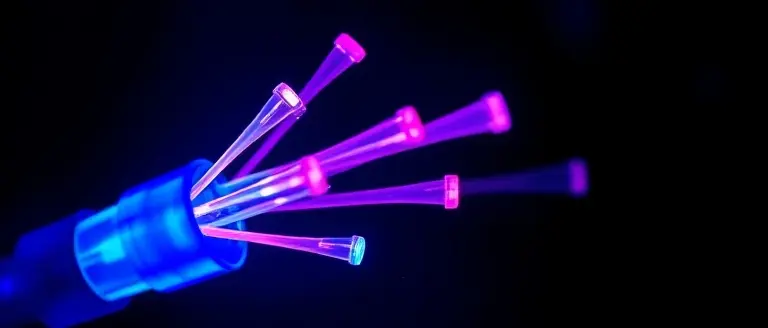
When you notice your signal bars disappear and are replaced by “SOS” on your iPhone or a similar warning on Android, it signals that your device cannot establish a connection with your primary carrier like Verizon. While many users panic during a verizon outage, “SOS mode” is actually a built-in safety feature. It indicates that while your phone cannot access your carrier’s cellular network, it can still utilize the signals of other available mobile providers to place emergency calls. Essentially, your phone is roaming across any available infrastructure to ensure you can reach 911, even if your specific provider is currently down.
The root cause of recent widespread connectivity issues often traces back to physical infrastructure failures, specifically a “cut fiber.” While we rely on wireless signals, those signals must eventually travel through the ground via a vast, interconnected network of underground fiber-optic cables. These cables act as the high-speed backbone for the internet and mobile data. When construction accidents or environmental factors result in a “fiber cut,” it physically severs the connection between local cell towers and the core network.
Why Infrastructure Remains Vulnerable
The fragility of our modern connectivity is highlighted by the sheer volume of data routed through these narrow conduits. A single damaged line can disable services for thousands of users across a region because:
- Centralized Nodes: Network architecture often routes traffic through specific hubs, like the Zayo Group nodes identified in the June 2026 disruption. If a primary hub or its connecting cable is severed, the entire downstream path is blocked.
- Capacity Overload: When one path is destroyed, traffic attempts to reroute to backups, which may lack the bandwidth to handle the surge, leading to systemic instability.
- Physical Distance: Repairs are not instantaneous. Technicians must physically locate the break, excavate the site, and perform precision splicing on glass fibers, which explains why a Verizon down event can persist for hours.
Understanding these mechanics helps clarify why status trackers like Downdetector often show a sudden spike in reports—the physical damage causes an immediate, localized “blackout” that spreads as the network struggles to reroute traffic. While your carrier works to patch these cables, shifting to Wi-Fi calling is often the only reliable workaround.
Steps to Take When Your Verizon Service Drops
When your cellular connection unexpectedly vanishes, it is easy to assume your device is malfunctioning. However, during a Verizon outage like the one experienced recently, the issue is often tied to infrastructure-level failures—such as the “cut fiber” incidents that disrupted service in West Texas. While you cannot fix a severed fiber-optic cable from your phone, you can perform specific diagnostic steps to rule out individual device glitches and restore your ability to communicate via alternative methods.
Troubleshooting Your Device
If you notice the SOS mode icon on your status bar, follow these tactical steps to attempt a forced network refresh:
- Toggle Airplane Mode: Swipe to your device’s control center and enable Airplane Mode for at least 15 seconds before disabling it. This forces your phone to drop its current connection attempt and search for the nearest available signal.
- Perform a Hard Restart: Powering your device completely off and back on clears the temporary cache and forces your phone to re-register its credentials with the local cellular tower.
- Check Network Settings: Ensure your “Cellular Data” and “Roaming” toggles are enabled. Occasionally, software updates or accidental clicks can disable these, mimicking a carrier-wide outage.
Leveraging Wi-Fi Connectivity
If the Verizon network remains unreachable, your primary goal should be to bridge the connectivity gap. If you have access to a stable home or office internet connection, immediately enable Wi-Fi Calling. This feature allows your phone to route voice calls and text messages over the internet, bypassing the need for a direct cellular tower handshake. Even when is verizon down is trending on platforms like Downdetector, Wi-Fi calling can keep you connected to emergency services and essential contacts. Always remember that these steps are strictly for troubleshooting; if the disruption is caused by large-scale infrastructure damage, these measures are temporary workarounds until the carrier restores the physical node connectivity.
Why National Outages Are Becoming More Frequent
Modern connectivity feels invisible and ubiquitous, but the recent verizon outage highlights the fragile physical reality beneath our digital experience. While users often turn to Downdetector to see if Verizon is down, the root causes of these disruptions are rarely simple software glitches. Instead, they are often linked to the complex architecture of our national telecommunications infrastructure, where reliance on shared physical “backbones” creates significant vulnerabilities.
The Problem of Infrastructure Consolidation
Telecommunications carriers like Verizon do not always own every mile of fiber-optic cable that carries their data. Instead, they often lease capacity from third-party transport providers, such as the Zayo Group. When these regional fiber networks experience a “cut”—often due to construction accidents or environmental factors—the impact ripples upward. Because many carriers utilize the same shared physical corridors to route high-volume traffic, a single event at a critical node can trigger a cascading failure, leaving thousands of users staring at SOS mode on their devices.
Critical Vulnerabilities in Modern Networks
The concentration of data through these narrow “chokepoints” is a byproduct of how modern networks are scaled for efficiency. While this consolidation allows for rapid data transmission, it eliminates the redundancy that would otherwise protect the network during physical damage. Key factors contributing to these outages include:
- Physical Interdependence: A single fiber cut in a remote region of West Texas can disrupt traffic for national carriers if that path is a primary transport route for that geographic sector.
- Centralized Nodes: When traffic from multiple providers is aggregated through the same equipment hubs, the failure of one hub can mimic a nationwide collapse.
- Rapid Recovery Complexity: Once a physical link is severed, traffic must be rerouted through secondary paths, which often lack the bandwidth to handle the surge, leading to the localized “down” status reported by users.
Understanding these technical limitations helps clarify why “is Verizon down” has become a common recurring query. These events are not necessarily indicative of an internal system failure at the carrier level, but rather a testament to the vulnerability of the physical fiber network upon which the entire internet depends.
Reclaim Your Calm Amidst Digital Chaos
While fiber cuts and infrastructure failures are largely outside your control, the anxiety and cognitive fog they trigger don’t have to dictate your afternoon. We have explored the mechanics behind the June 9, 2026, Verizon outage—moving beyond simple status checks to understand the inherent vulnerabilities in our digital networks and how to navigate SOS mode effectively. However, the true casualty of these disruptions is often our mental focus, as the sudden loss of connectivity spikes cortisol levels and hampers professional productivity.
You don’t need to let the frustration of digital isolation derail your day. Just as you troubleshoot your network, it is time to troubleshoot your cognitive state. This is exactly why we recommend The Brain Song. Designed as a rapid mental reboot, this 12-minute audio tool is specifically engineered to cut through the stress response and restore your mental clarity, providing the perfect buffer while you wait for your services to stabilize.
If you find yourself feeling jittery or disoriented by today’s downtime, use this moment to reset your baseline. By integrating this session into your routine, you reclaim your focus and ensure that external technological failures no longer have the power to dismantle your internal peace of mind.
 Regain your mental clarity in just 12 minutes—click here to start your Brain Song session.Transform My Mental State Now!